Sunday, March 1, 2015
Nokia Lumia 920 WindowsPhone 8 WP8 Battery drain because of background tasks
Over the last days, the battery of my Lumia 920 was empty much faster than i was used to. Usually it lasted y couple of days, but now its empty after 1 day.
How-i-fixed-it:
I found the right hints here: http://answers.microsoft.com/en-us/winphone/forum/wp8-wpupdate/lumia-920-battery-issues/94655503-118c-4dfe-b433-08c23b8140c6
I fixed it by disabled a couple of background tasks. I also found out, that some of those Background tasks were added by recently installed apps.
Go to Settings->Apps->Background Tasks to see the list of apps that work in the background and choose the ones the disable.
Auf Deutsch:
Der Akku meines Nokia Lumia 920 wird schnell leer aufgrund von aktiven Hintergrundanwendungen.
Read more »
How-i-fixed-it:
I found the right hints here: http://answers.microsoft.com/en-us/winphone/forum/wp8-wpupdate/lumia-920-battery-issues/94655503-118c-4dfe-b433-08c23b8140c6
I fixed it by disabled a couple of background tasks. I also found out, that some of those Background tasks were added by recently installed apps.
Go to Settings->Apps->Background Tasks to see the list of apps that work in the background and choose the ones the disable.
Auf Deutsch:
Der Akku meines Nokia Lumia 920 wird schnell leer aufgrund von aktiven Hintergrundanwendungen.

How to have different local web config settings for a Visual Studio ASP NET C Web TFS Project
Today we started an ASP.NET C# Project under VisualStudio 2012 using Team Foundation Server. We ran into the problem that we need to store some local path settings in the web.config file, but they are different on every developers computer.
How-I-fixed-it:
The solution is, to split the web.config up into several files and just reference the files using the configSource="sectionName.config" Attribute in the corresponding section in the web.config. Dont add these local files to the project, to not get them overwritten by each other.
Heres a sample:
web.config:
<applicationSettings>
<KCM.Properties.Settings configSource="KCM.Properties.Settings.config" />
</applicationSettings>
KCM.Properties.Settings.config:
xml version="1.0" encoding="utf-8" ?>
<KCM.Properties.Settings>
<setting name="DataStoragePath" serializeAs="String">
<value>D:inetpubftproot</value>
</setting>
</KCM.Properties.Settings>
Here i found the right information to get the solution:
Read more »
How-I-fixed-it:
The solution is, to split the web.config up into several files and just reference the files using the configSource="sectionName.config" Attribute in the corresponding section in the web.config. Dont add these local files to the project, to not get them overwritten by each other.
Heres a sample:
web.config:
<applicationSettings>
<KCM.Properties.Settings configSource="KCM.Properties.Settings.config" />
</applicationSettings>
KCM.Properties.Settings.config:
xml version="1.0" encoding="utf-8" ?>
<KCM.Properties.Settings>
<setting name="DataStoragePath" serializeAs="String">
<value>D:inetpubftproot</value>
</setting>
</KCM.Properties.Settings>
Here i found the right information to get the solution:
http://code-inside.de/blog/2009/11/03/howto-eine-eigene-configsection-schreiben-custom-configsections/
http://blog.andreloker.de/post/2008/06/16/Keep-your-config-clean-with-external-config-files.aspx
http://www.tomot.de/en-us/article/5/asp.net/how-to-use-web.config-transforms-to-replace-appsettings-and-connectionstrings
https://devio.wordpress.com/2013/04/24/handling-web-config-variants-in-source-control-based-solutions/
What to do for iPhone 5 and 4S random drop of network and data signal connection
iPhone loosing network and data connection: Many of iPhone 5 and 4S users are suffering from random loss of call network and data service. An iphone suffering from the issue in context will suddenly find feature e.g. call, SMS, and 3G Internet facility non-functional, even though shown signal quality/strength may be good.

The issue may be with SIM cards; some people have reported success after disabling a SIM PIN, or else changing cards. Few user has eliminated the glitch by doing a full restore of their device.
Apple is though aware of errors, and working with carriers provider on the error. The firmware was, for instance, supposed to fix other issue like recurring battery life problems, but these have continued for some users even as other people have had them solved.
The issue may be with SIM cards; some people have reported success after disabling a SIM PIN, or else changing cards. Few user has eliminated the glitch by doing a full restore of their device.
Apple is though aware of errors, and working with carriers provider on the error. The firmware was, for instance, supposed to fix other issue like recurring battery life problems, but these have continued for some users even as other people have had them solved.
- According to few user, the root cause for the reception issue may lie with the way the SIM Card is aligned on the SIM tray.
- One way to overcome this is to disable the SIM PIN. Go to Settings > Phone Menu > Turn SIM PIN off.
- Try Toggling Airplane mode. Or Turn your phone off, then wait five minutes, then turn your phone back on again, then wait five more minutes and try using it as normal.
Hope these steps might have helped you.
Dont get the iPhone 4s there are better phones
I just got my first iPhone, what a disapointment.
It was my first iPhone since I am loyal to Sprint and my unlimited data plan.
Im ready to return it after one day.
Even after the IOS5 upgrade the OS feels old and dated, it still looks the same as it does on my kidss generation 2 ipod touch. Was this boxy phone the best they could come up with.
My HTC Evo 4G had a huge screen compaired to this and its 2 years old!
Yes, Siri is cool, but you will need it since you cant read anything on this little screen!
I like how readable my email is on Andriod and when I zoom in on my email the text doesnt wrap, and that just sucks.
I read that the Galaxy 2S has a 4.5" screen and a better camera. I should have got that.
Read more »
It was my first iPhone since I am loyal to Sprint and my unlimited data plan.
Im ready to return it after one day.
Even after the IOS5 upgrade the OS feels old and dated, it still looks the same as it does on my kidss generation 2 ipod touch. Was this boxy phone the best they could come up with.
My HTC Evo 4G had a huge screen compaired to this and its 2 years old!
Yes, Siri is cool, but you will need it since you cant read anything on this little screen!
I like how readable my email is on Andriod and when I zoom in on my email the text doesnt wrap, and that just sucks.
I read that the Galaxy 2S has a 4.5" screen and a better camera. I should have got that.
Windows Live Essentials 2011
I am very impressed with the new tools that come with Windows Live Essentials 2011. The Live writer that I’m using for this blog make posting easy and the new Live Messenger is now my favorite tool for navigating Facebook along with my other Social Media tools, like LinkedIn, YouTube and Blogger.

Check it out!
How To Give Password To Folder and protect your folder
How to Give Password to Folder and protect your folders can be done easily, either using software or not. A folder containing documents in word or pdf files of important data in the form it needs to be secured from the hands of ignorant office friends, classmates, or even your own family members. Surely not want dong suppose weve created office tasks or coursework then suddenly the data is copied by your friend? Maybe your friends grounded just borrow your laptop and it will not open up important files, but who knows if it is misused? This would be very annoying. Therefore we need to secure our data in order not to arbitrarily open by someone else by limiting access to the folder that contains important data. Then how do I give the password folder on your computer? There are two ways this can be achieved, namely:
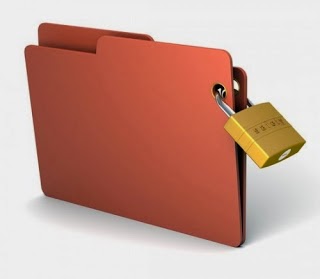
Give the folder password without software
This step can be taken if you want to give the password without the help of software, so that you only utilize the existing facilities on the computer. This can be done for computers that operate on the Windows operating system yes. Here are the steps.
1. Open notepad, for the uninitiated notepad located in the Start -> All Programs -> accesorries -> notepad
2. Copy the code below and paste it into notepad
cls
ECHO OFF
title Folder Locker
if EXIST "Control Panel. {21EC2020-3AEA-1069-A2DD-08002B30309D}" goto UNLOCK
if NOT EXIST Locker goto MDLOCKER
: CONFIRMED
echo Are you sure u want to Lock the folder (Y / N)
set / p "cho =>"
if% cho% == Y goto LOCK
if% cho% == y goto LOCK
if% cho% == n goto END
if% cho% == n goto END
echo Invalid choice.
goto CONFIRM
: LOCK
ren Locker "Control Panel. {21EC2020-3AEA-1069-A2DD-08002B30309D}"
attrib + h + s "Control Panel. {21EC2020-3AEA-1069-A2DD-08002B30309D}"
echo Folder locked
goto End
: UNLOCK
echo Enter password to unlock the folder
set / p "pass =>"
if NOT% pass% == TYPEPASSWORD goto FAIL
attrib -s -h "Control Panel. {21EC2020-3AEA-1069-A2DD-08002B30309D}"
ren "Control Panel. {21EC2020-3AEA-1069-A2DD-08002B30309D}" Locker
echo Folder Unlocked successfully
goto End
: FAIL
echo Invalid password
goto end
: MDLOCKER
md Locker
echo Locker created successfully
goto End
: End
3. In the code TYPEPASSWORD replace the text with the password that you wish
4. Keep a notepad by clicking File and then Save As, and save it with the name lock.bat save as type to All Files.
5. Open the file that we just open, wait a minute it will appear a new folder named Locker.
6. Move the files you want to secure into the Locker folder
7. Double-click again on the file lock.bat it will display a dialog if you want to lock the folder, type Y and then Enter
8. Folder Locker will be lost, but do not worry because this folder is hidden only by the system
9. To bring it back, double-click on lock.bat then be asked for a password to open it, type in your password and press Enter
10. Folder Locker has resurfaced and you can already see the file again.
LAN Ethernet speed throughput decreases becomes very low over time wíth Fritz!Box 7390 and Linksys WRT54G in the same network because of conflicting routers
In my LAN, I have a AVM Fritz!Box 7390 as DSL router and a Linksys WRT54G acting as a WiFi/WLAN repeater and LAN switch. Everything was fine for years with this configuration on DSL 16.000 (Annex B).
After German Telekom upgraded us to VoIP in the Fritz!Box (Annex J), problems started. Turning all devices on, full LAN and Internet Speed was present at all computer in the Network. After some time, the spped in the local LAN decreased (transfer rate from PC to PC as well as from PC to Internet) to just a few KB per second.(I tested internet speed with Ookla speedtest http://www.speedtest.net/). Internet Speed for WiFi devices connected to Fritz!Box router directly was OK.
I found out, unplugging the LAN cable from the Fritz!Box router and plugging it in again brings back full transfer rates in the LAN between all PCs and to the Internet.
How-I-fixed-it:
In thesSetup-menu of the Linksys under "Advanced Routing" theres an option called "Operating Mode". It was set to "Gateway". I set it to "Router" as suggested by the help text. No more LAN problems so far.

Read more »
After German Telekom upgraded us to VoIP in the Fritz!Box (Annex J), problems started. Turning all devices on, full LAN and Internet Speed was present at all computer in the Network. After some time, the spped in the local LAN decreased (transfer rate from PC to PC as well as from PC to Internet) to just a few KB per second.(I tested internet speed with Ookla speedtest http://www.speedtest.net/). Internet Speed for WiFi devices connected to Fritz!Box router directly was OK.
I found out, unplugging the LAN cable from the Fritz!Box router and plugging it in again brings back full transfer rates in the LAN between all PCs and to the Internet.
How-I-fixed-it:
In thesSetup-menu of the Linksys under "Advanced Routing" theres an option called "Operating Mode". It was set to "Gateway". I set it to "Router" as suggested by the help text. No more LAN problems so far.
In German / Auf Deutsch:
LAN-Datenrate bricht ein / wird sehr langsam in einem Netzwerk mit Fritz!Box 7390 (als Internet-Router und WLAN-AP) und Linksys WRT54G (als interner Switch und WLAN-Bridge)
Nach der DSL-Umstellung von Annex B (16 MBit) auf Annex J bzw. VDSL 2 ist in meinem LAN die Netto-Übertragungsrate im Laufe einiger Stunden von anfänglich 10 MB/s auf wenige KB/s gesunken, sowohl zwischen PCs als auch in das Internet. Geräte, die über WLAN mit der Frtz!Box verbunden waren hatten weiterhin die volle Datenrate ins Internet.
Aus- und Einstecken den LAN-Kabels an der Fritz!Box behob das Problem kurzzeitig, jedoch trat es nach einigen Stunden erneut auf.
Ursache/Problemlösung:
Im Setup-Menü des WRT54G gibt es unter "Erweitertes Routing" eine Option zum Einstellen, ob über den Router eine Internetverbindung hergestellt ist (Gateway) oder ein anderer Router im Netz das übernimmt (Router). Bei mir war die Option auf "Gateway" eingestellt. Umgestellt auf "Router" und das Problem ist gelöst. Seither keine Einbrüche der Übertragungsrate mehr.
Subscribe to:
Posts (Atom)